
Meet Compose.Files in. IRCC-ready PDF out.
Any file, any format, any order. Compose runs five passes over what your client uploaded, then builds one PDF per section, arranged the way IRCC reads it.
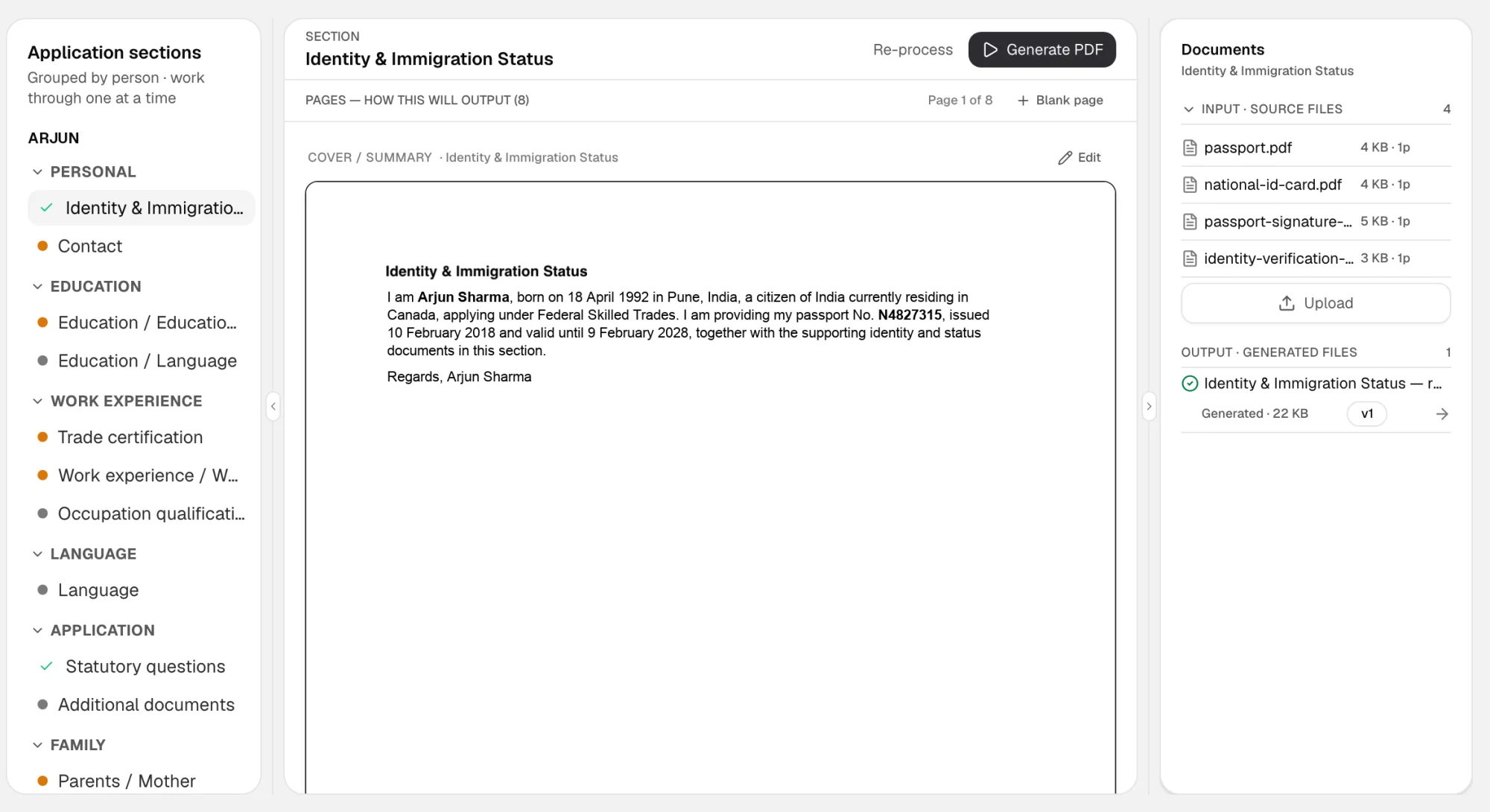
- 1What the client sentThe source files for this section, as uploaded.
- 2The cover summaryDrafted from the extracted details. Edit it before you generate.
- 3Generate PDFOne click builds the section, with cover, contents and dividers.
- 4The finished fileThe generated PDF lands here, ready to download.
How it works
Five passes between the upload and the package
Each pass does one job, in order, on every file the client uploaded.
01 Normalize
Sideways 40 MB photo → upright, compressed PDF.
02 Classify
Recognised for what it is. Named for it.
03 Reconcile
Dated, put in series. A missing month is named.
04 Split
One 60-page scan → the documents IRCC expects.
05 Arrange
Cover, contents, dividers. One PDF per section.
What comes out
One PDF per section, ready to upload
Cover page
The section, under your firm's name, on the first page.
Contents
Every document listed with its page number.
Dividers
A divider before each document, so an officer never hunts.
IRCC order
Documents in the order the section expects them.
The engine drafts. You decide what goes out.
You see the original beside every extraction and can correct it in place. Nothing is filed from an extraction you have not looked at.
Add a partition
Split a scan where you want, when the engine split it differently.
Edit the summary
The cover summary is yours to rewrite before you generate.
Re-process
New files arrived? Run the section again.
No empty packages
If nothing in a section would print, Compose refuses to build it.
Questions
What if it gets a document wrong?
You see the original beside every extraction and can correct it in place. Nothing is filed from an extraction you have not looked at.
What about my current cases?
Drop the folder in. The engine handles whatever naming you already use — it was built for exactly the mess a real practice accumulates.
Do I have to change how I work?
You still gather, still advise, still sign. What changes is the hours of renaming and re-ordering per file.
Ready when you are
Tell us about your practice.
15 minutes, your own files, no slide deck. We come back to you the same working day.