Immigration CRM vs case management software
A CRM wins the client. Case management runs the file. How to tell which job is costing your practice time, and whether you need one tool, two, or an all-in-one.
Search "immigration CRM" and you get vendors that call themselves CRM, case management, or both. The words blur. For an RCIC buying software, that blur costs money: you can pay for a lead pipeline when your real problem is chasing documents, or the reverse.
This guide splits the two jobs, shows where they meet, and helps you decide what your practice needs. Vendor facts come from each vendor's own site, checked on 14 November 2026. Where we say "practice advice", that is our view, not a rule.
Immigration CRM vs case management: the short answer
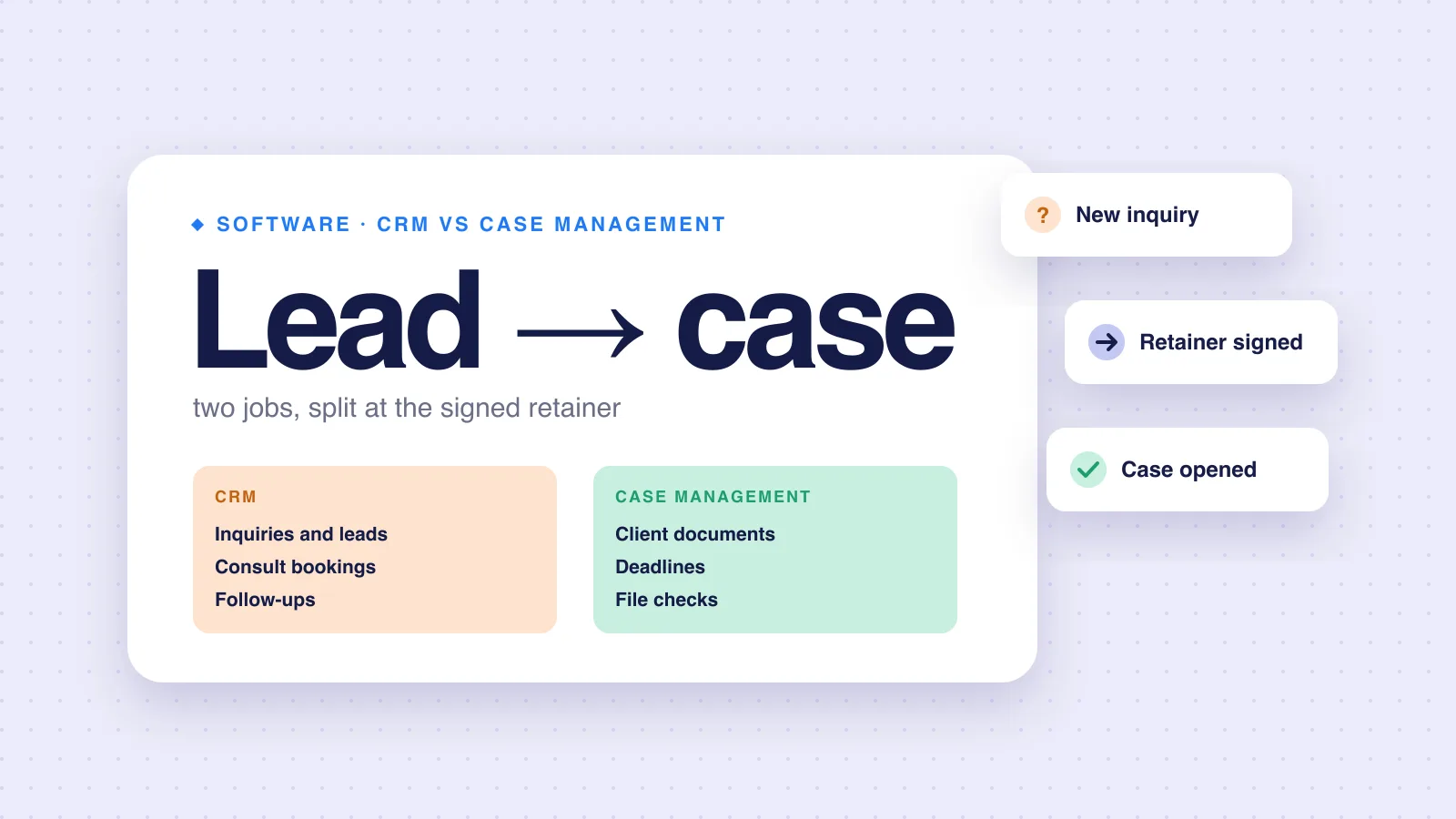
CRM means customer relationship management. In an immigration practice it covers everyone who has not hired you yet. Case management covers everyone who has.
| Job | Immigration CRM | Case management |
|---|---|---|
| Website inquiries and lead forms | Yes | Usually no |
| Consult bookings and reminders | Yes | Usually no |
| Follow-ups on people who have not signed | Yes | No |
| Email campaigns and newsletters | Often | No |
| Client document collection | Basic or none | Yes |
| Application deadlines and reminders | Generic tasks | Yes, per case |
| Checks on documents and dates | No | Some products |
| The submission package | No | Some products |
The rows are typical, not universal. Read each vendor's page for what its product actually does.
What an immigration CRM does
A CRM is a sales tool. Its unit is the person or the deal, and its job is to move people from inquiry to signed client. A general CRM shows the pattern. HubSpot's CRM page describes tracking contacts, deals and a sales pipeline, and says the free tier has no expiration date.
An immigration CRM adds the practice's own stages. VisaFlo's CRM page, for example, describes a structured pipeline for inquiries, with lead statuses from New to Converted, assignment to team members, and follow-ups with owners and due dates.
- Capture every inquiry from the website, phone and referrals in one list.
- Book the consult and send reminders, so fewer people no-show.
- Assign each lead to a person, so nobody assumes someone else replied.
- Follow up with people who had a consult but did not sign.
- Report on where clients come from, so you know what marketing works.
What case management software does
Case management is a production tool. Its unit is the file, and its job is to get a complete, correct application to IRCC on time. CaseEasy's home page, for example, describes managing "clients, cases, and deadlines in one place", with a client portal for sharing documents.
- Collect the client's details and documents into the right case.
- Track each case's hard dates, such as the deadline after an Express Entry invitation.
- Catch missing, expired or mismatched documents before you sign off.
- Keep staff-only notes apart from what the client sees.
- Build the package you upload to the IRCC portal yourself.
Our guide to choosing immigration case management software goes deeper on this half, with a test plan you run on your own files.
Where they meet: the signed agreement
The College's Code of Professional Conduct draws a useful line. Section 23 says a licensee must enter a written consultation agreement before an initial consultation. Section 24 says a licensee must enter a written service agreement with a client before providing services, and must keep a copy.
Practice advice: use those two agreements as your software boundary. Everything up to the signed service agreement is CRM work. Everything after it is case work. The handoff should carry the person's details across, so nobody types them twice.
Which one your practice needs
Start from the pain, not the feature list. Look at the last month and find where work slipped.
| What you see | Likely gap |
|---|---|
| Inquiries sit unanswered for days | CRM |
| Consults no-show, or nobody follows up after | CRM |
| You cannot say where last month's clients came from | CRM |
| You chase the same documents by email, again and again | Case management |
| A deadline lives only in your head or your calendar | Case management |
| Expired or mismatched documents reach final review | Case management |
| Both lists look familiar | Both, or an all-in-one |
Practice advice for a solo or 2-3 person practice: if you get a few inquiries a week and answer them the same day, a booking link and your inbox may be all the CRM you need. Files are where hours go. Our lean software stack for solo RCICs lays out each layer.
All-in-one or two tools
Some immigration products sell both halves. VisaFlo's CRM page describes running lead follow-up, case work, retainers, e-signatures, invoices and payments from one workspace. Others lead with case management. CaseEasy's home page leads with client and case management and a client portal.
| Factor | All-in-one | CRM + case management |
|---|---|---|
| Handoff at signing | Built in | A copy step or an integration |
| Depth on each half | Varies; one half is often thinner | Pick a strong tool for each |
| Logins and bills | One | Two |
| Switching later | Moves everything at once | Replace one half at a time |
Neither is right for everyone. A practice with heavy marketing and many consults may want a strong CRM. A practice with steady referrals and full files may want the strongest case tool it can find. Our comparison pages lay out what each vendor publishes.
Test both halves. A product called "CRM" may have thin document collection. A product called "case management" may have no lead list at all. Run one real lead and one real file through any tool before you pay.
Questions to ask a vendor
- When a lead signs, do their details move into the case, or does someone retype them?
- Can clients upload documents straight into their case, against each checklist item?
- Does each case show its next hard date, with a reminder before it?
- Does it check documents and dates, or only store them?
- Can staff keep notes the client never sees?
- Where is client data stored, and can you export all of it if you leave?
- What is the published price for your practice size?
Our overview of RCIC software covers practice management vs case management in the same terms.
Where rcicaxis fits
rcicaxis is case management only, for Express Entry. It has no lead pipeline, consult booking or marketing tools, so keep your CRM or booking tool for those. Once the service agreement is signed, open the case. Clients upload their details and documents through the client portal. Deadline rules send reminders before each hard date. Argus runs 100+ checks on every file and flags blockers and warnings for your review. Compose builds one PDF per section with a cover page, contents and dividers. You file with IRCC yourself.
Questions
Is a CRM the same as case management software?
No. A CRM tracks people before they are clients: inquiries, consult bookings and follow-ups. Case management software runs the file after the service agreement is signed: documents, deadlines and checks. Some immigration products sell both in one tool, which is why the words get mixed up.
Does a solo RCIC need an immigration CRM?
Only if leads are slipping. If you get a handful of inquiries a week and answer each one the same day, a booking link and your inbox may be enough. If inquiries go unanswered or nobody knows who follows up, a CRM earns its keep.
Can a general CRM like HubSpot run immigration cases?
It can track contacts, deals and a sales pipeline. HubSpot's own page describes those jobs and a free plan. It is not built for an immigration file: client document uploads per checklist item, IRCC deadlines, or checks on dates and documents. You would build that yourself or use a second tool.
Does rcicaxis include a CRM?
No. rcicaxis is case management only, for Express Entry. It has no lead pipeline, consult booking or marketing tools. Keep your current CRM or booking tool for leads, and open the case in rcicaxis once the service agreement is signed.
Sources
- College of Immigration and Citizenship Consultants Code of Professional Conduct (SOR/2022-128), sections 23 and 24
- VisaFlo: CRM page
- CaseEasy: home page
- HubSpot: CRM product page
Code and vendor pages checked against the sources above on November 14, 2026. Vendor products change; read each vendor's site before you buy. This is practice guidance, not legal advice.